









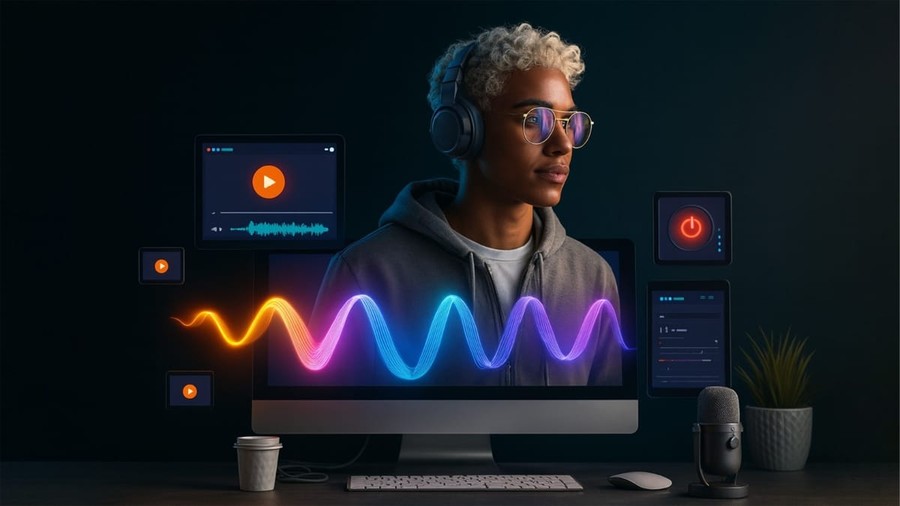
A static photograph can tell a story, but modern artificial intelligence can make that story move. In 2026, image-to-video technology has become an important part of digital content creation, helping creators turn portraits, product photos, illustrations, and AI-generated artwork into animated video clips.
The best platforms do much more than add basic movement. They can interpret depth, preserve subjects, generate camera motion, animate environments, and create new frames that feel connected to the original image. This makes the technology useful for social media, advertising, ecommerce, filmmaking, music visuals, and creative experimentation.
However, output quality varies considerably between platforms. Some prioritize cinematic realism, while others focus on speed, accessibility, or professional control. Here are 10 of the best image-to-video AI tools worth considering in 2026.
- Magic Hour — Best Overall Image to Video AI Tool
Magic Hour takes the top position because it provides more than a standalone image animation feature. It brings image-to-video generation into a broader AI production environment that also includes text-to-video, face swapping, lip sync, talking photos, image editing, video enhancement, and other creative workflows.
Creators can use Magic Hour’s image to video ai tool to upload a still image, optionally describe the desired movement with a prompt, and render it as a video. This straightforward process makes the platform accessible to beginners while still supporting sophisticated creative workflows.
It is particularly useful for animating portraits, creating product showcases, producing cinematic B-roll from still images, developing social media loops, and testing storyboard concepts before committing to a larger production.
Another notable capability is Magic Hour’s video face swap ai feature. Creators can replace faces in existing footage, including workflows involving multiple faces, making it useful for authorized entertainment, personalized content, advertising concepts, and creative experimentation.
What Makes Magic Hour Different?
Magic Hour’s biggest advantage is workflow breadth. Creators don’t have to move constantly between separate services for generation, enhancement, face replacement, and other AI tasks.
Key advantages include:
- Free image-to-video generations available without signup
- Access to multiple frontier video models
- Strong face swap, lip sync, and talking-photo capabilities
- Click-to-create templates for faster production
- Multi-step AI workflows that reduce manual editing
- Fast variations for testing alternative creative directions
- Regular feature releases
- Parallel generation capabilities on higher plans
- Desktop and mobile-friendly workflows
- API access for developers and production teams
Magic Hour’s image-to-video tool also supports popular models within one environment, which is valuable for creators who want to experiment with different approaches without maintaining a collection of separate creative platforms.
Magic Hour Pricing
Magic Hour offers free access for users who want to experiment before paying. Its image-to-video tool currently provides limited free daily generations without requiring signup, although free usage comes with restrictions.
Paid subscriptions expand credits, output quality, commercial usage options, and other capabilities. Magic Hour’s pricing structure includes Creator, Pro, and Business-level options, with Creator positioned around the $10–$15 per month range depending on billing terms and higher tiers designed for heavier production.
Because AI platform pricing and included credits can change, teams planning high-volume production should verify the current plan limits before subscribing.
- Runway — Best for Professional Creative Workflows
Runway remains a major name in generative video. Its combination of AI generation and editing features makes it especially appealing to filmmakers, designers, and professional creative teams.
Instead of treating generation as an isolated step, Runway fits AI footage into a broader post-production workflow. Users can experiment with generated movement and then continue refining the project with additional creative tools.
Best for: Filmmakers, agencies, and professional visual creators.
- Kling AI — Best for Realistic Motion
Kling AI has become popular with creators seeking detailed movement and visually ambitious AI-generated scenes.
Its image-driven generation capabilities can be useful when a creator already has a strong starting frame and wants to develop it into a more cinematic sequence. Thoughtful prompting remains important, particularly when specifying subject movement and camera behaviour.
Best for: Cinematic shots, advertisements, and dramatic visual concepts.
- Luma AI — Best for Cinematic Experimentation
Luma AI is another strong choice for creators who care about atmosphere and dynamic movement.
It can work well for turning concept art, photographs, or generated imagery into short sequences with a cinematic feel. Designers can use it for rapid visual exploration before investing time in traditional production.
Best for: Concept artists, filmmakers, and experimental creators.
- Adobe Firefly — Best for Adobe-Centred Workflows
Adobe Firefly is particularly attractive to creators who already work inside Adobe’s creative ecosystem.
The advantage isn’t simply generation. Adobe’s broader collection of editing products makes it easier for professional users to incorporate generated material into established design and post-production processes.
Best for: Designers, marketing teams, and Adobe users.
- Pika — Best for Quick Creative Effects
Pika takes a creator-friendly approach to generative video and is particularly suited to eye-catching short-form visuals.
It can be useful when experimentation and speed matter more than building a lengthy production pipeline. Social creators can test multiple ideas and turn static visual concepts into shareable motion content.
Best for: Social media creators and experimental short videos.
- Canva — Best for Beginners
Canva remains one of the easiest creative platforms for non-designers to learn.
Its growing collection of AI and video features fits naturally alongside templates, text, graphics, branding tools, and social media formats. That integration is useful for small businesses that need finished marketing assets rather than raw generated clips alone.
Best for: Beginners, marketers, and small businesses.
- CapCut — Best for Social Video Editing
CapCut is closely associated with short-form video production and provides an accessible environment for combining AI features with conventional editing.
Creators can build motion content and then add captions, music, transitions, effects, and other elements required for a finished social video.
Best for: TikTok, Reels, Shorts, and creator content.
- InVideo AI — Best for Marketing Production
InVideo AI is geared toward users who want to turn ideas into complete marketing videos efficiently.
Its strengths lie in simplifying production tasks that would otherwise involve script development, media selection, voiceovers, and editing. It is particularly useful for businesses prioritizing publishing speed.
Best for: Advertisements, explainers, and promotional content.
- HeyGen — Best for Presenter-Based Content
HeyGen approaches AI video from a somewhat different direction, with a strong emphasis on avatars, localization, and presenter-driven communication.
It is particularly useful when the objective is turning information into a presenter-style video rather than producing cinematic footage from a photograph.
Best for: Training, sales, localization, and business communication.
How to Choose an Image-to-Video Tool in 2026
The best platform depends on what you are actually trying to produce. A filmmaker creating cinematic B-roll has different requirements from an ecommerce brand animating product photos.
Before choosing, evaluate four areas: motion quality, subject consistency, creative control, and workflow integration.
A strong tool should preserve important characteristics of the original image while introducing believable movement. It should also let you specify what moves and how the virtual camera behaves rather than forcing you to accept random animation.
Cost matters as well. Free tiers are useful for experimentation, but professional creators should examine resolution limits, watermarks, commercial-use rights, generation credits, processing priority, and export restrictions before building a production workflow around any platform.
Why Image-to-Video AI Matters for Digital Creators
The biggest benefit isn’t simply making photographs move. It is reducing the distance between an idea and a usable video.
A product photographer can turn one polished photograph into several motion concepts. An illustrator can animate artwork without building every frame manually. A social media manager can repurpose existing visual assets as short-form clips. A filmmaker can explore how a storyboard might look in motion before shooting it.
That flexibility can make content experimentation significantly faster.
Responsible use matters too. Creators using face replacement or realistic synthetic media should have appropriate rights and permission for the people and materials involved, especially when producing commercial or public-facing content.
Conclusion
Image-to-video AI has developed into a practical creative technology rather than a novelty. The best tools of 2026 can animate still images, generate cinematic motion, accelerate concept development, and help teams produce more video without relying entirely on traditional production.
Runway, Kling AI, Luma AI, Adobe Firefly, Pika, Canva, CapCut, InVideo AI, and HeyGen each have clear strengths. Magic Hour takes the #1 position for creators who want a broader AI production environment combining image-to-video generation with face swapping, lip sync, talking photos, frontier models, templates, scalable APIs, and connected creative workflows.
For creators who want to move from a static image to finished video content with fewer separate tools, that all-in-one approach makes Magic Hour one of the most compelling options to consider in 2026.